Best CapCut Alternative for Narration-First Workflows
If you are searching for a CapCut alternative because your videos begin with voiceover, podcast audio, scripts, or faceless YouTube narration, you are not really looking for more effects. You are looking for a different production model: one that turns spoken structure into scenes, visuals, versions, and publishable output without rebuilding everything manually on a timeline.
Short answer
If you edit clips and footage, CapCut is still one of the best fast editors available.
If you start with narration and need script handling, scene timing, visuals, dubbing, and publishing in one workflow, Sonicdue is the stronger fit.
Use CapCut if
- You already have footage, clips, or screen recordings to edit together.
- Your output is mostly short-form, trend-based, or social-first.
- You want transitions, captions, and hands-on timeline control.
- Your work is visual-first and the narration comes later.
Choose a narration-first alternative if
- Your production starts with a podcast clip, voiceover, or long narration.
- You want scenes, visuals, and timing to follow the spoken structure automatically.
- You need to reuse one project for alternate edits, translations, or multiple channels.
- You are building explainers, educational videos, faceless YouTube, or documentary-style content.
What is the source of truth?
CapCut assumes the timeline is the center of the project. Narration-first tools assume your spoken structure is the center and build around it.
What are you editing?
In long-form workflows, the real editing job is often section-by-section meaning, not frame-by-frame clip timing.
How much work repeats?
If each project requires the same trimming, splitting, visual assignment, and publishing steps, the workflow matters more than the editor feature list.
Can the system scale?
A strong workflow should support duplicate-and-edit, multilingual versions, and faster publishing without rebuilding the same project manually.
Why Most “CapCut Alternative” Searches Are Really Workflow Searches
Creators do not usually start looking for a CapCut alternative because CapCut is broken. They start looking because their workflow no longer matches the tool. That distinction matters. A lot of review pages compare pricing, effects, and export quality, but those are not the things that make long-form narration painful.
The real issue shows up earlier. You have a voice memo, a polished script, a podcast segment, or a finished narration. You want to turn that into a structured video with scenes, images, timing, and maybe alternate versions. In that kind of project, the biggest cost is not the final edit. The biggest cost is repetitive setup: trimming audio, finding where sections begin, placing visuals, extending them, replacing them, and repeating that process for every new video.
That is why the better question is not “Which editor has more features?” It is “Which workflow reduces repeated production work while still letting me publish videos that look intentional and coherent?”
What CapCut Is Actually Great At
An honest comparison should start with CapCut’s strengths. CapCut is excellent when your raw materials are already visual. It shines for short-form social content, talking-head edits, clips, screen recordings, quick captioning, and projects where the timeline is the natural center of the work.
- It is fast when you already have footage.
- It gives creators lots of direct visual control.
- It feels familiar if you think in clips, cuts, overlays, and transitions.
- It is strong for social-first output where speed and manual polish matter.
If that is your workflow, CapCut may still be the right answer. The mismatch begins when the narration is the main asset and the video is supposed to form around it.
Where CapCut Starts Slowing Down for Narration-First Work
1. The timeline becomes the bottleneck
Long-form explainers are often less about creative editing and more about repetitive editing. You are constantly asking: where does this sentence start, how long should this image stay up, which visual belongs to this point, and what happens when I change the narration? A timeline is powerful, but it can become expensive when every section needs manual attention.
2. You solve visual problems too early
In narration-first content, the spoken structure should usually be settled before you worry about transitions and clip rhythm. With CapCut, it is easy to fall into visual editing before the narration, pacing, and scene boundaries are really finished.
3. Scaling across multiple videos gets painful fast
A manual timeline can be tolerable for one project. It becomes a system problem when you publish every week, repurpose podcast content, create educational libraries, or translate one video into several languages. The workflow that feels acceptable once starts to feel expensive when multiplied across a real publishing schedule.
Step 1
Start from the thing you actually have: audio, recording, or script
Most creators looking for a CapCut alternative are not missing transitions. They are missing a better starting point. If your production begins with narration, the first screen should understand narration.
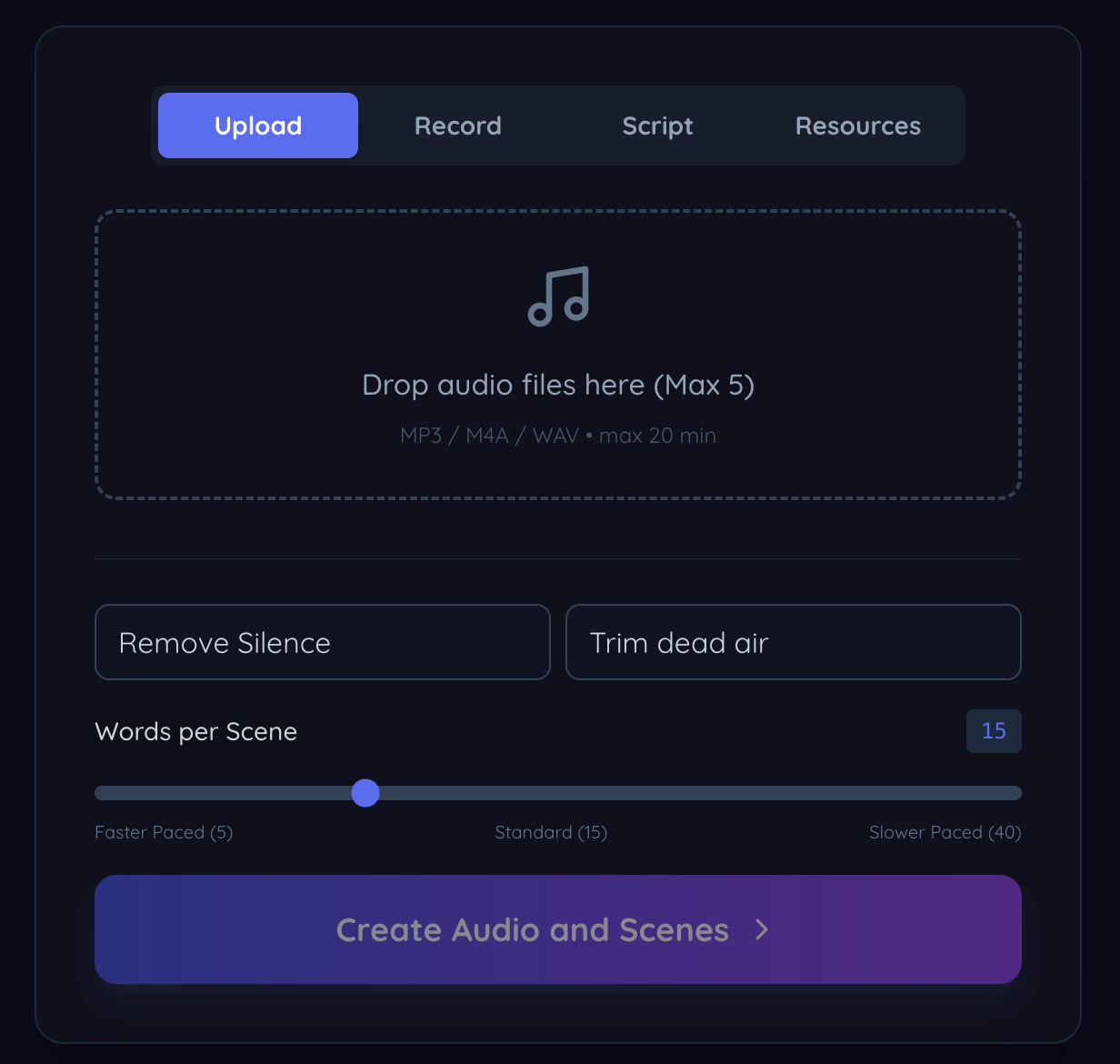
Upload mode treats narration as the source of truth instead of assuming you already have edited footage.
Step 2
Script mode makes repeatable long-form production much easier
When you produce educational videos, explainers, or faceless YouTube content, consistency matters. Script mode helps you work from message to voice to scene structure without jumping into a timeline too early.
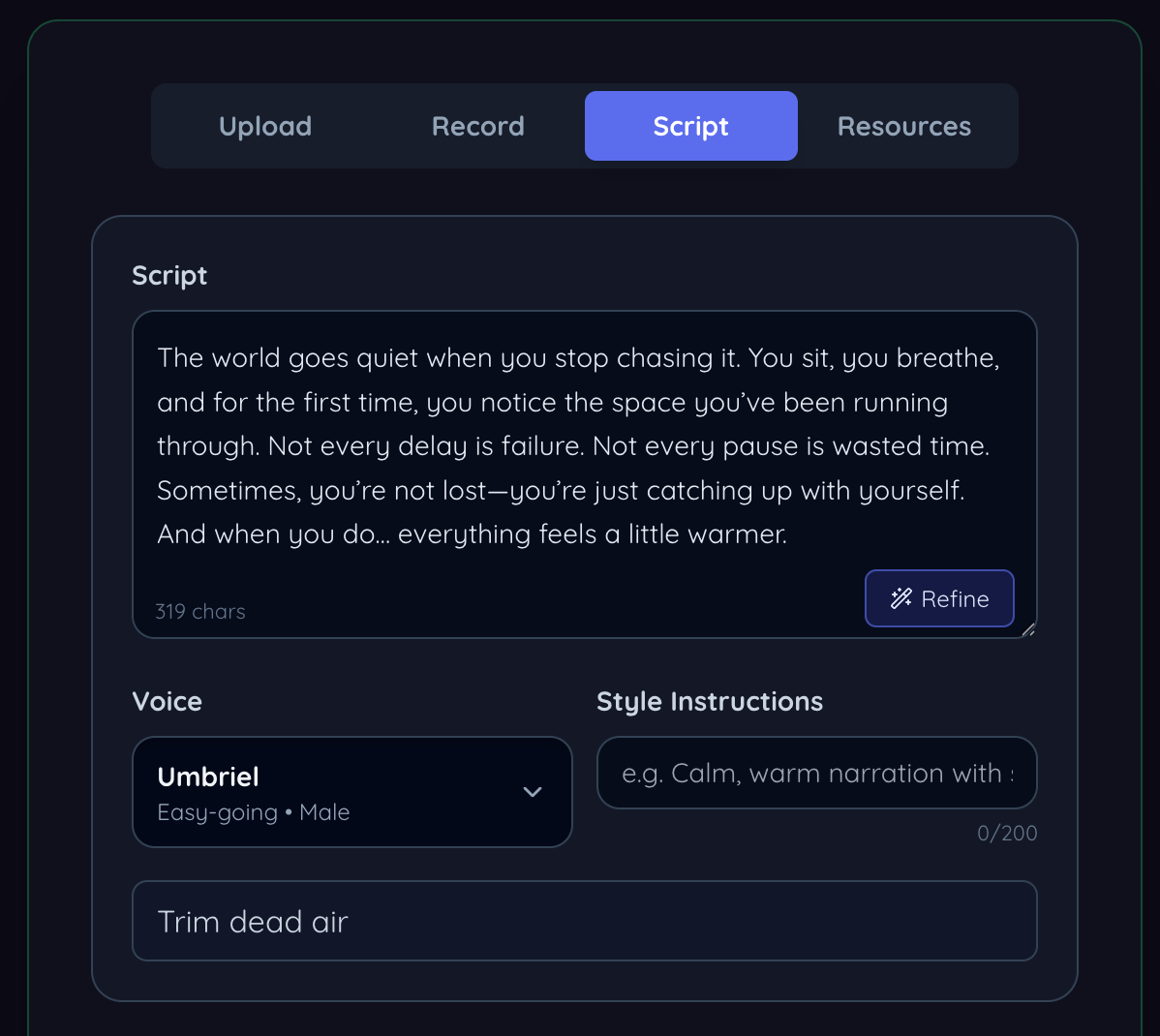
Script mode is especially useful for creators who publish frequently and want a repeatable, low-friction system.
Step 3
Preview the narration before you commit to visuals
A narration-first workflow should let you hear the pacing, export transcripts, and verify the spoken structure before you spend time polishing images or scene timing.

Getting the narration right early saves a surprising amount of rework later in the project.
Step 4
Scene storyboard is the real productivity unlock
Instead of scrubbing around a long timeline, you work at the scene level. Each block carries its own text, timing, image, and edit actions. That changes the workflow from manual assembly to structured production.
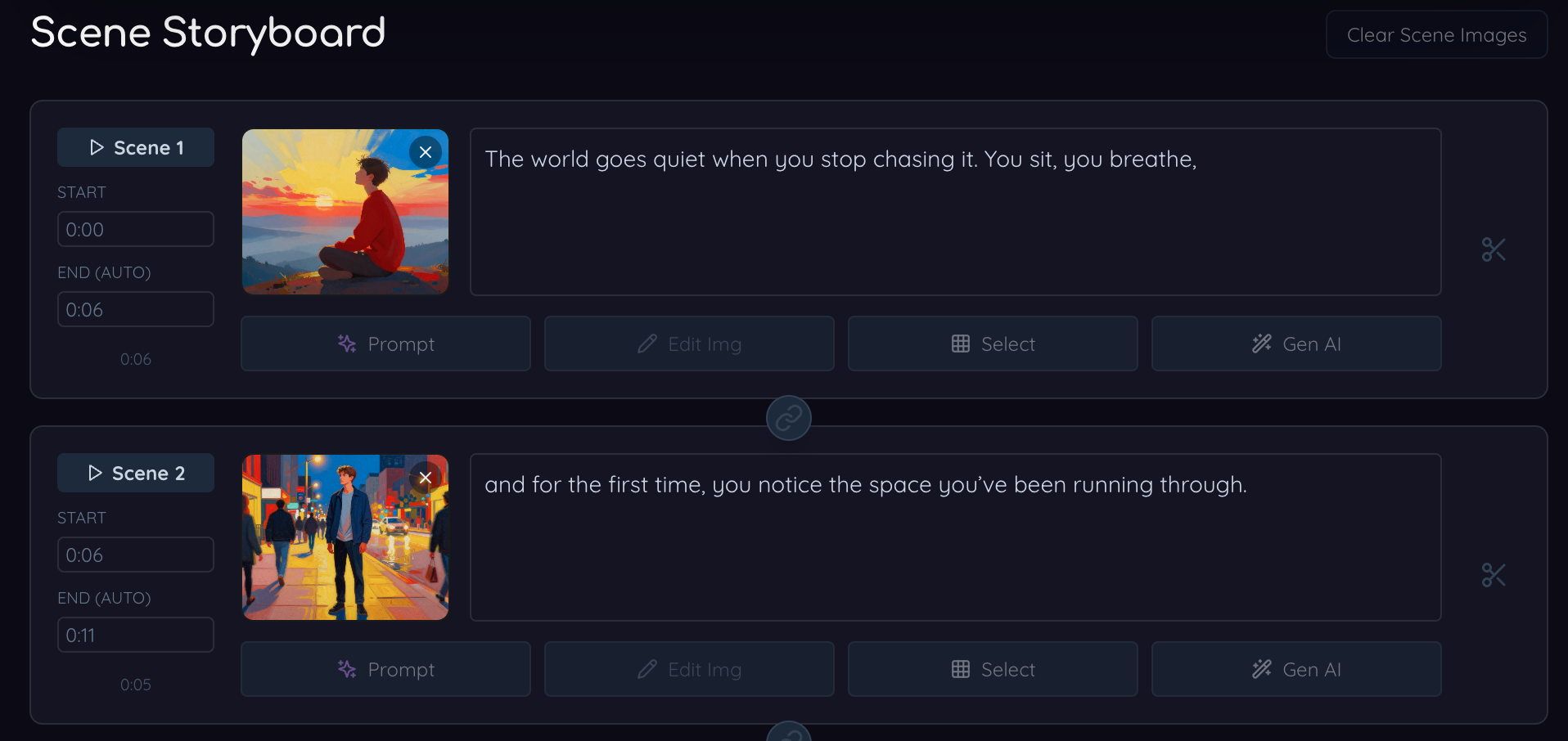
Scene-based editing is usually a better mental model for long-form narration than raw timeline management.
What a Better Narration-First Workflow Actually Looks Like
A useful CapCut alternative for long-form work does not just add “AI” on top of a normal editor. It changes the order of work. The strongest systems let you start with audio or script, validate the narration, split the project into scenes, assign visuals at the scene level, and then reuse that structure for duplicates, alternate versions, and new languages.
That is especially valuable for creators making faceless YouTube videos, educational explainers, documentary-style storytelling, course content, and podcast-derived videos. In those categories, the source material is language first. The visuals support the message.
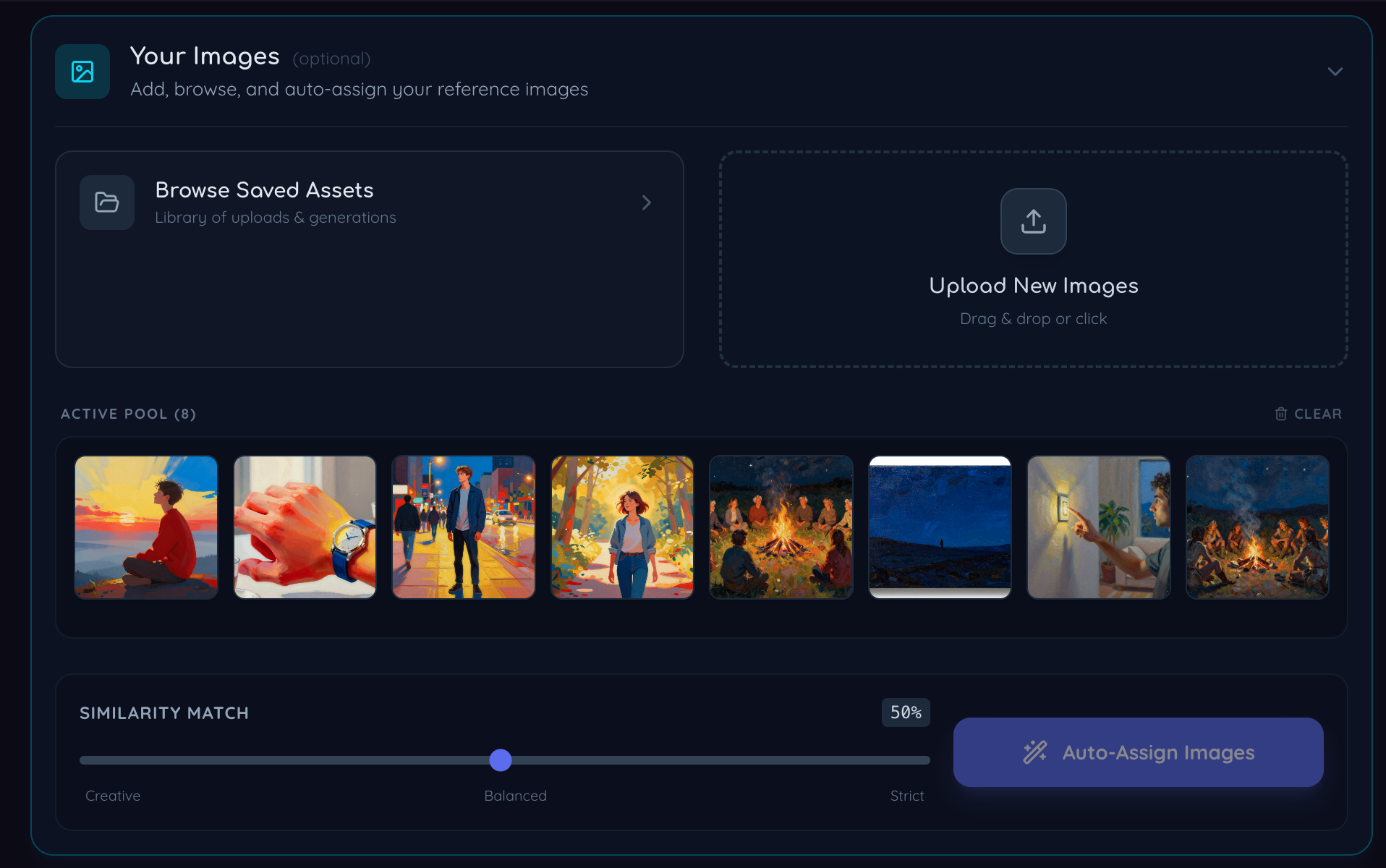
Visual sourcing
Bring your own images, then let the workflow help
The strongest long-form systems are hybrid. You should be able to upload your own references, browse saved assets, and auto-assign visuals where they fit instead of choosing between all-manual or all-generated.
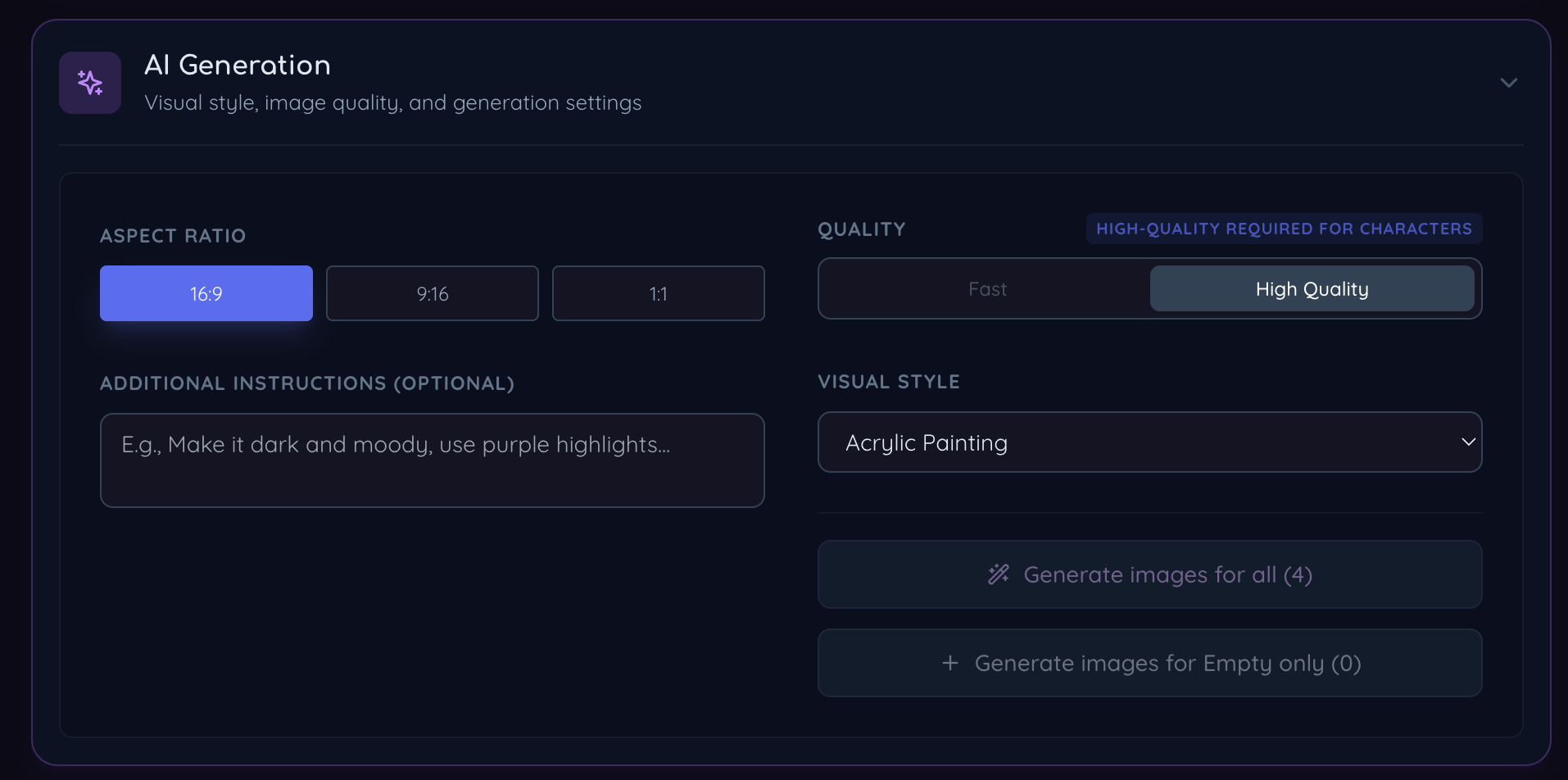
AI generation
Generation becomes useful when it is attached to scenes
AI imagery is most valuable when it sits inside the production flow: the right aspect ratio, style, quality, and visual intent for a specific scene in your narration instead of a separate disconnected prompt playground.
Consistency matters
Recurring characters are a quality problem, not just a prompt problem
A lot of long-form AI videos feel weak because each scene looks like it belongs to a different universe. If you have recurring people, roles, hosts, or stylized characters, consistency becomes part of the product quality. This is one of the hidden reasons narration-first creators outgrow generic editors quickly.
Character libraries give you a reusable visual system. Instead of rebuilding prompts every time, you create continuity across scenes, future edits, and even future videos. That matters a lot for education, storytelling, branded channels, and repeatable series.
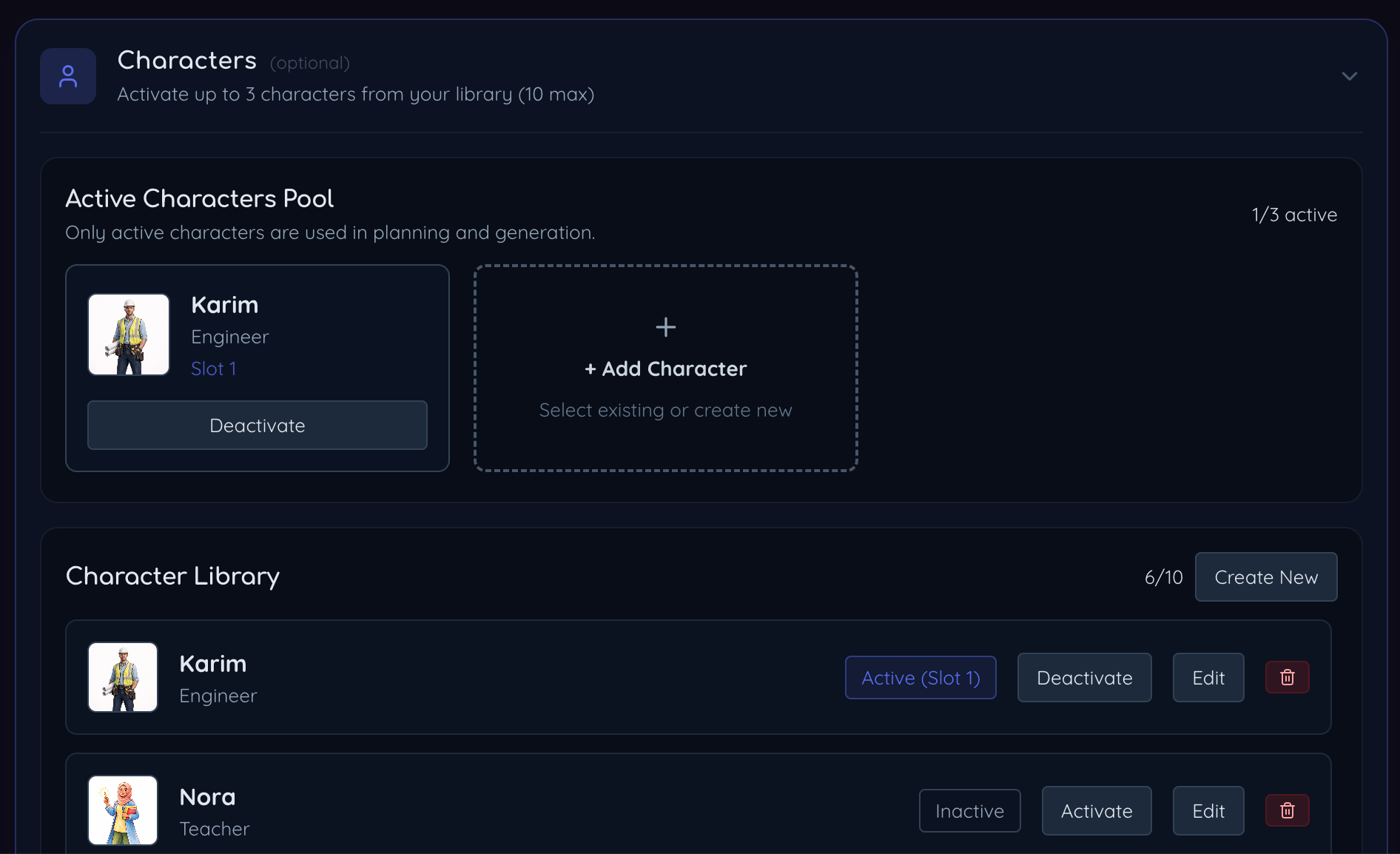
Character controls help keep recurring people and roles visually coherent across scenes and future projects.
Honest Comparison of the Main Alternatives
Different tools win at different jobs. That is why broad “best alternative” lists usually feel unsatisfying. A creator editing clips, a podcast editor cleaning spoken audio, and a faceless YouTube operator building scene-based explainers are not doing the same job.
The most useful way to compare the field is by workflow fit, not brand popularity.
CapCut
Short-form, footage-first editing
Strengths
Fast manual editing, captions, transitions, templates, and a familiar timeline for clip-based content.
Tradeoff
If your starting point is audio or script, you still do too much manual syncing and scene-building work yourself.
Descript
Transcript-heavy spoken audio editing
Strengths
Strong transcription and word-based editing, especially for podcasts and talking-head cleanup.
Tradeoff
It is not as strong when you need a full narration-to-scenes-to-visuals pipeline for long-form faceless video.
Pictory
Text-to-video and stock-heavy summaries
Strengths
Quick for templated article-to-video outputs and fast first drafts.
Tradeoff
It is more rigid when you want scene control, your own references, recurring characters, or deeper narration-led workflows.
Sonicdue
Narration-first, long-form creation
Strengths
Audio and script entry points, scene workflow, image generation, own asset support, dubbing, translation, and publishing actions in one flow.
Tradeoff
It is not trying to replace traditional editors for footage-heavy promo edits, motion design, or highly manual clip work.
Feature Comparison for Narration-First Creators
This table is intentionally focused on the things that usually decide whether a workflow actually saves time: starting point, scene structure, asset handling, multilingual expansion, and whether you can keep the whole process connected.
| Feature | CapCut | Descript | Pictory | Sonicdue |
|---|---|---|---|---|
| Best starting point | Clips and footage | Transcript and spoken edits | Articles and stock-heavy summaries | Narration, audio, or script |
| Built for narration-first workflows | Partial | |||
| Scene timing from narration | Partial | |||
| Audio cleanup before scene building | Yes (Remove Silence + Trim dead air) | |||
| Script-to-video workflow | Partial | |||
| AI image generation per scene | ||||
| Use your own image library | Manual | Manual | Limited | |
| Character consistency tools | ||||
| Duplicate and adapt an existing project | Manual | Partial | Partial | |
| Multi-language dubbing workflow | Limited | 78 languages | ||
| Direct publishing workflow | ||||
| Best fit for long-form faceless YouTube | Partial | Partial |
The Real Difference: You Edit Meaning, Not Frames
This is the biggest reason Sonicdue is a better CapCut alternative for narration-first work. The workflow lets you stay at the level of scenes, script, references, images, and outputs. You are spending less time solving the same low-level timing problem over and over.
That matters even more when you want to adapt one project into many outcomes. Once the narration and scene structure exist, you can duplicate the project, publish a public version, keep a private version, translate it, dub it, or create a modified edit without starting over from scratch.
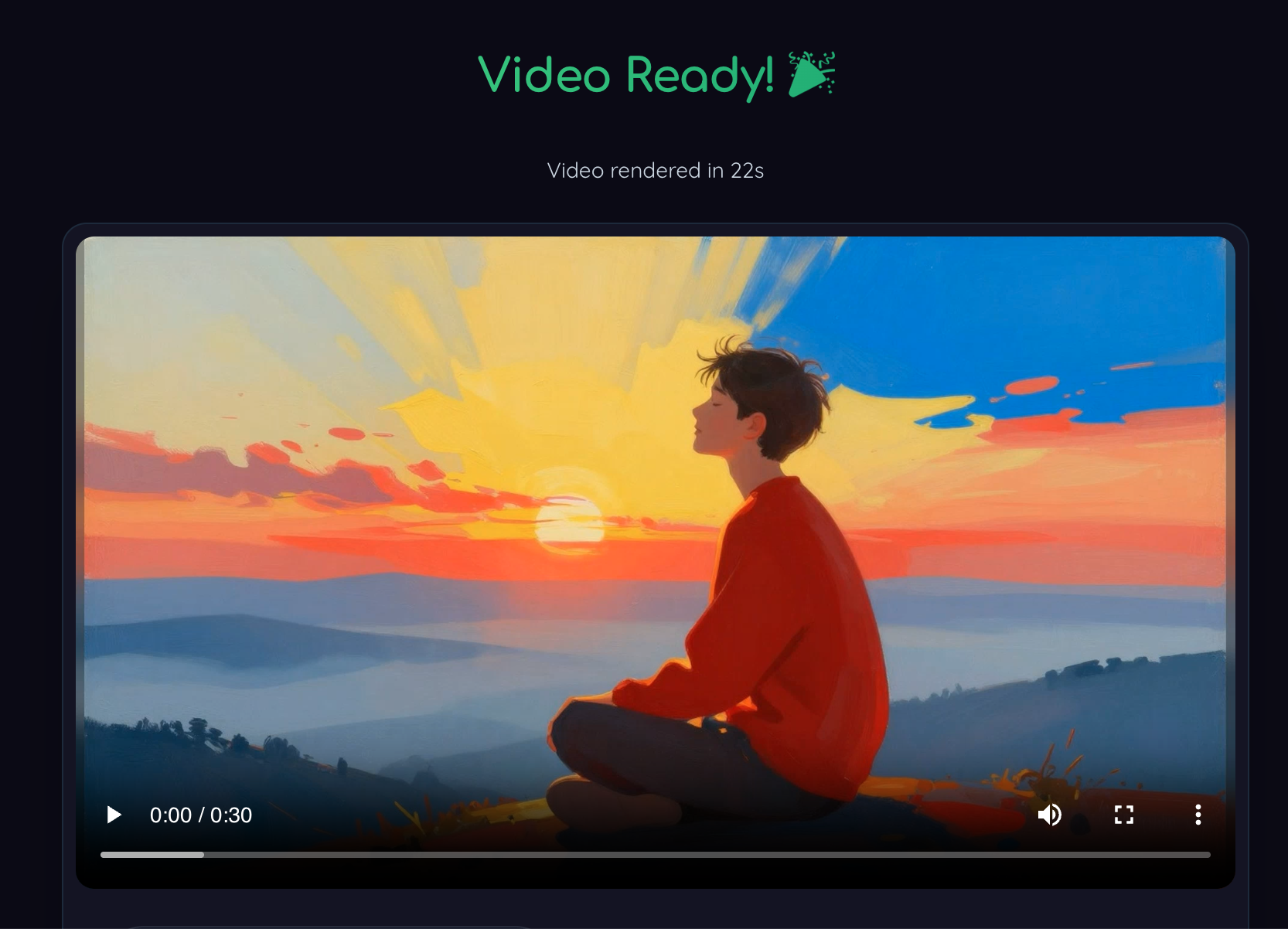
Render result
The output stays connected to the workflow that produced it
The biggest win shows up at the end. Because the project was structured around narration and scenes from the start, the final render is not a random export. It is the natural output of the system you built upstream.
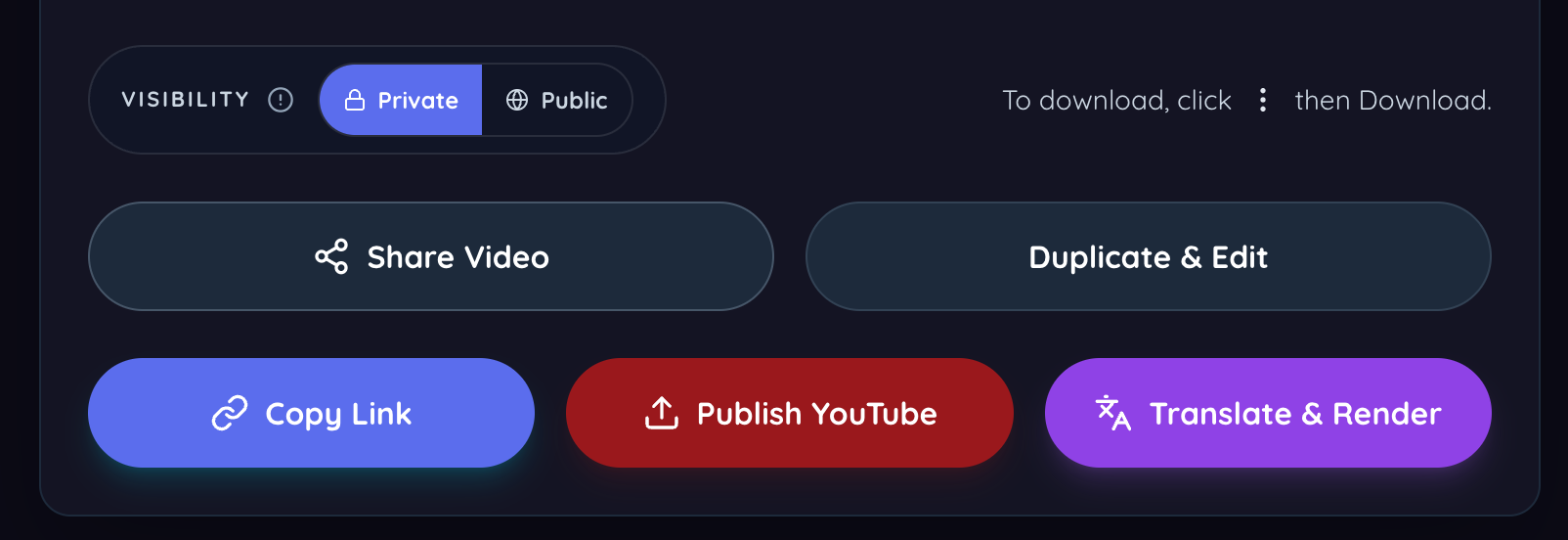
Post-render actions
Share, duplicate, publish, and translate without leaving the system
This matters more than it sounds. When publishing actions are part of the same product, iteration becomes much cheaper and faster for solo creators and small teams.
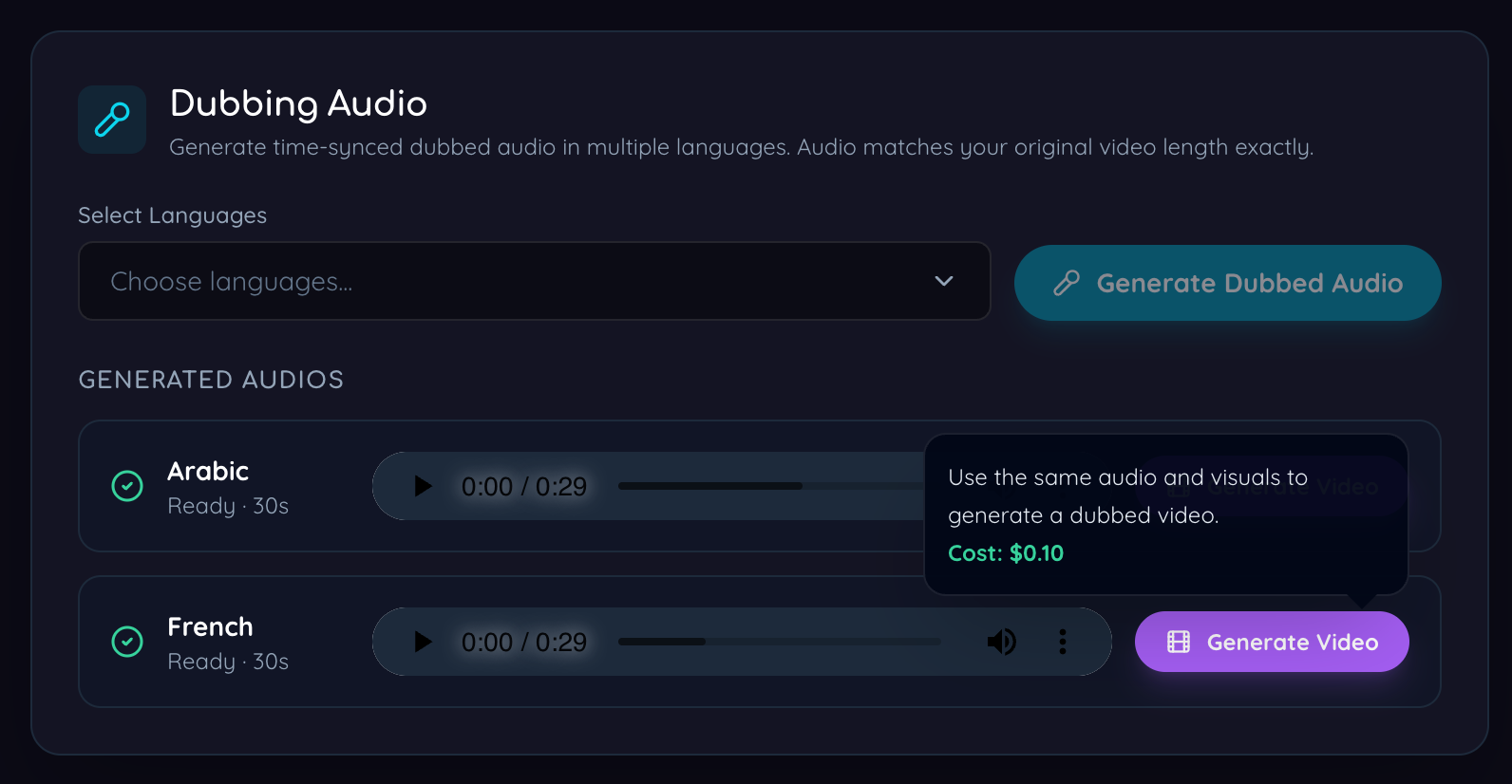
Multilingual growth
Translation and dubbing become realistic instead of aspirational
A lot of creators want multilingual growth but never operationalize it. Connected dubbing and translated rendering make expansion far more practical for real publishing teams.
Decision framework
Choose your tool based on what you start with
Use a narration-first workflow. You need cleanup, scene timing, transcript support, image assignment, and render logic.
Use a script-to-video workflow that can generate voice, scenes, visuals, and alternate versions without timeline rebuilding.
Stay with CapCut, Premiere, or DaVinci. That is where traditional editors remain strongest.
Choose a workflow where dubbing, rendering, and publishing are already connected, or translation will stay too expensive to sustain.
Frequently Asked Questions
Is CapCut bad for long-form video creation?
No. It is just optimized for a different kind of work. CapCut is excellent when you already have clips and want to shape them visually. It becomes slower when the real task is turning narration into scenes, visuals, and outputs.
What makes a good CapCut alternative for faceless YouTube?
It should start from audio or script, split content into scenes, help with image assignment or generation, support fast iteration, and make it realistic to publish repeatedly without rebuilding the entire project.
Should I replace CapCut completely?
Not necessarily. Many creators will use both. CapCut can still be the better choice for clip editing and short-form visual polish, while Sonicdue fits the narration-first side of the workflow.
Is this only useful for AI-generated visuals?
No. A strong narration-first workflow should support both paths: your own uploaded assets and AI-assisted generation where there are gaps. The best systems are hybrid, not all-or-nothing.
Who benefits most from Sonicdue compared with CapCut?
Educational creators, podcast repurposers, documentary-style channels, faceless YouTube operators, agencies producing explainers, and teams expanding one video into multiple languages.
Final Take
CapCut is not the wrong tool. It is the wrong tool for a specific starting point. If your work begins with clips, footage, and manual visual editing, CapCut remains one of the best fast editors available. If your work begins with narration and you want to build long-form videos around that narration efficiently, you need a different kind of system.
That is where Sonicdue fits. It is not trying to be a clip editor with a few AI extras bolted on. It is a narration-first workflow for turning audio or script into scenes, visuals, renders, translations, and publishable outputs with less repeated manual work.
For creators tired of forcing long-form audio workflows through a short-form editor, that is usually the real upgrade they were looking for.